# Nuke - ShotGrid - Loading publishes
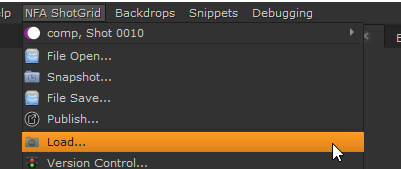
You can load in files other people have published by going to the "NFA ShotGrid" -> "Load..."
[](https://docs.vfxim.nl/uploads/images/gallery/2024-10/nuke15-0-vwnneywkmi.png)
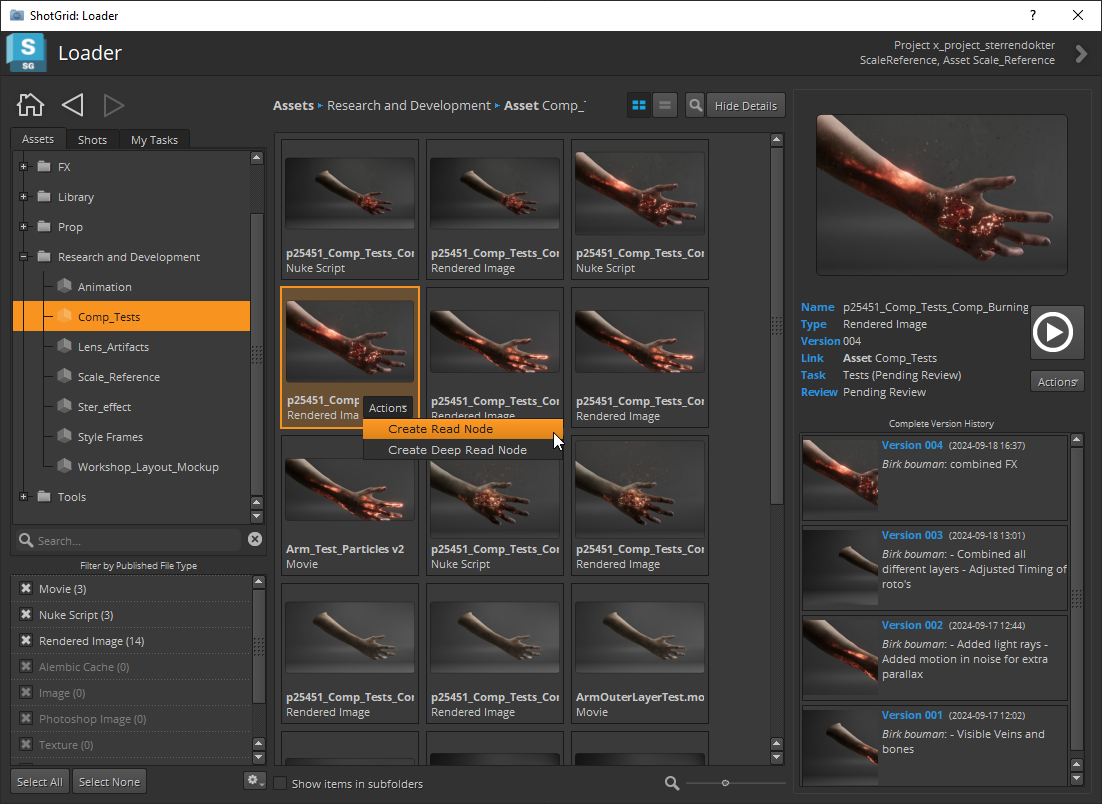
This will open up a new interface:
[](https://docs.vfxim.nl/uploads/images/gallery/2024-10/nuke15-0-blcfmrgwis.png)
You can use this interface to browse all files others have published. Double clicking on a file loads that file into your comp. Some file types have extra actions available, which you can see by clicking the "Actions" menu on the selected publish.
Loading tools largely unchanged from ShotGrid base implementation.