# Pipeline - Explanations - Mindfulness room audiovisual installation
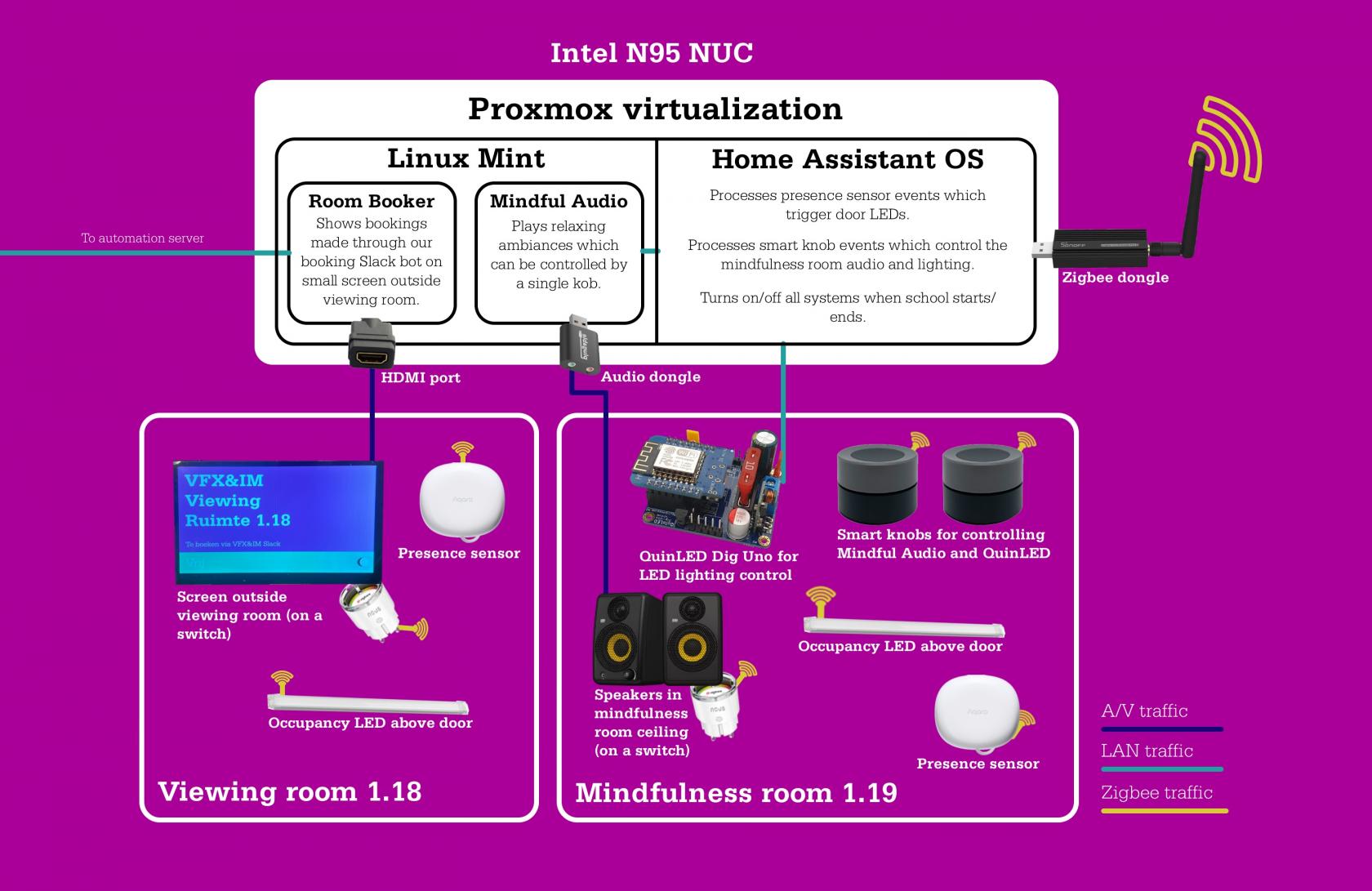
Here's an infographic:
[](https://docs.vfxim.nl/uploads/images/gallery/2025-03/vfxgangsysteemtekening.jpg)
The proxmox instance can be accessed on: `https://145.90.27.92:8006` (username is root, the password used is the old super *user* password that was used in the Deadline monitor some time ago). You can SSH into it using the same credentials.
The Home Assistance instance on: [`http://145.90.27.99:8123`](http://145.90.27.99:8123) (username is vfxim, the password used is the old super *user* password that was used in the Deadline monitor some time ago)
And you can log into the Mint machine with: `ssh vfxim@145.90.27.152` (the password used is the old super *user* password that was used in the Deadline monitor some time ago)
### Hardcoded IPs
There are two points in the system that use hardcoded IP addresses. Seeing as the proxmox, home assistant and mint instances don't have static IP addresses this might cause some problems at some point. Here's what you should do when this happens.
##### Home Assistant IP Changed
Browse to the Docker backend, find the Farm Facts container and change the IP address used in the `.env` file.
##### Linux Mint IP Changed
Browse to the Home Assistant instance, go to the Visual Studio Code server and change the `send_to_sound_system` IP string that you can find in `configuration.yaml`
Mindfulness room audiovisual installation by Mervin van Brakel.